What's new in NeetoCal


We've significantly improved how NeetoCal handles SMS delivery through Twilio, making it more reliable for businesses that send messages to clients across different regions.

Support for Twilio Messaging Service

Until now, NeetoCal supported only a single Twilio phone number as the sender. The integration flow has been redesigned to also support Twilio Messaging Services, allowing you to configure multiple sender numbers across regions.

Twilio automatically picks the right "From" number based on the recipient's location, so SMS delivery works smoothly even when your clients are spread across countries.

Region-aware SMS delivery

NeetoCal now uses the appropriate Twilio delivery API based on what you've configured — phone number or Messaging Service. This ensures messages are routed correctly and reduces failures caused by region-specific restrictions.

Email notifications for SMS delivery errors

You'll now receive email notifications for the two most common SMS delivery failures:

  • Error 21612 — when a message can't be delivered because the "From" number isn't supported in the recipient's region.

  • Error 21704 — when there's an issue with the configured Messaging Service.

This helps you catch and fix delivery issues faster, rather than finding out from clients that they never received a reminder.

To learn how to set this up, read our help article.


image_xRcuw8Mqq.png

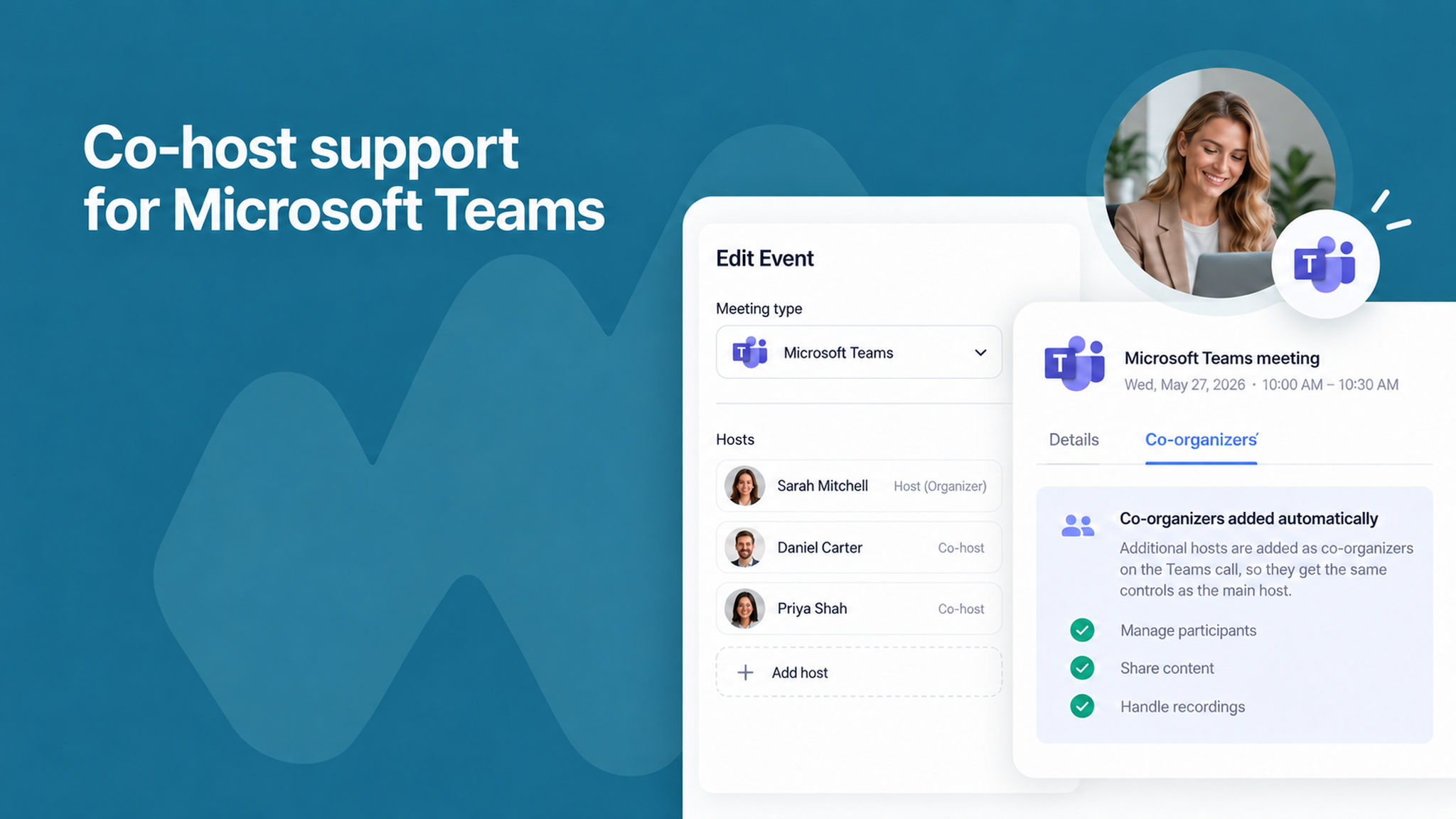
When you schedule a multi-host meeting that uses Microsoft Teams, additional hosts are now automatically added as co-organizers on the Teams call.

This means co-hosts get the same controls as the main host, like managing participants, sharing content, and handling recordings without any manual setup in Teams.

To learn more, read our help article.


image_uC028_JPR.png

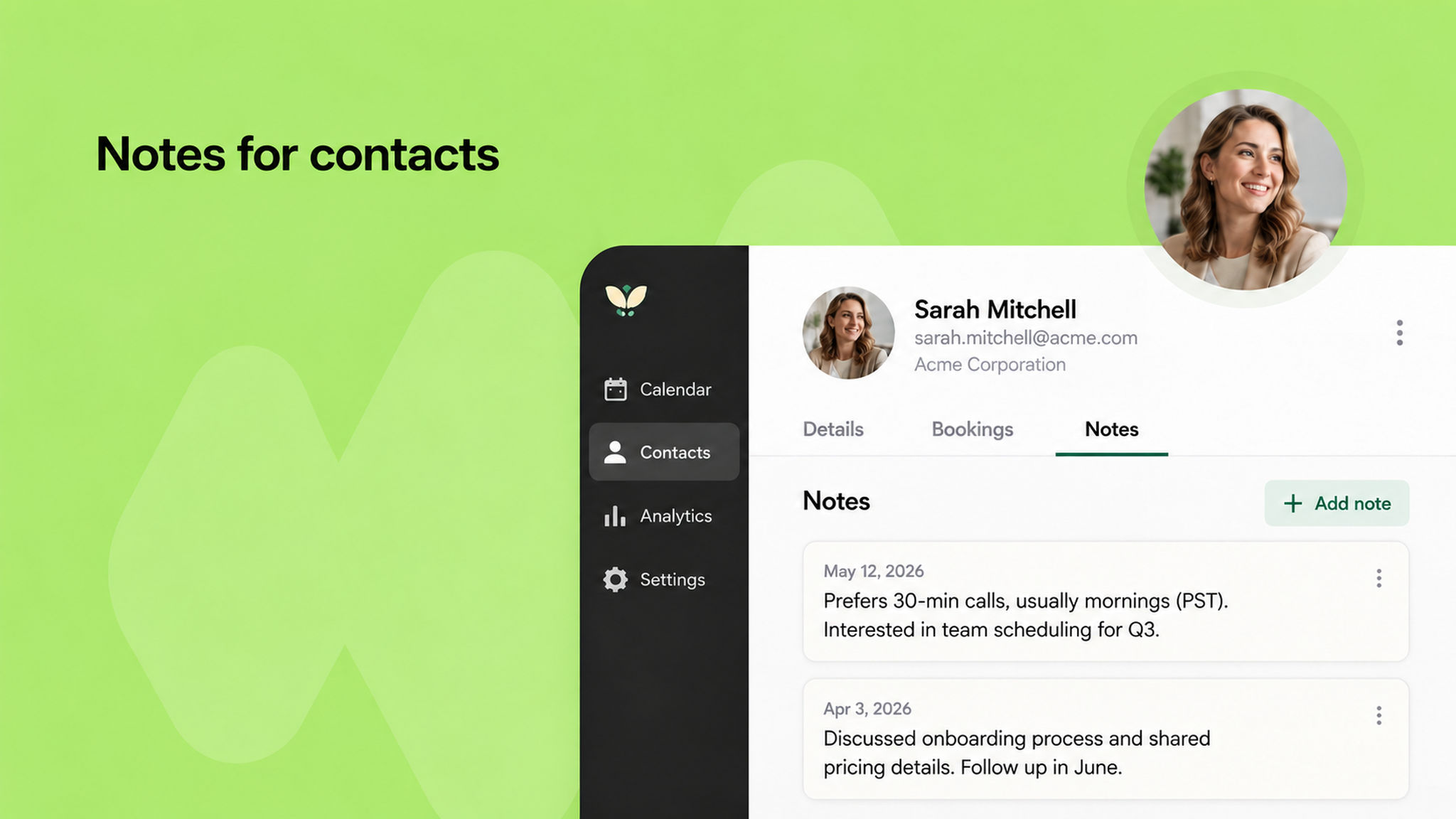
You can now attach free-form notes to individual contacts in NeetoCal.

The new Notes tab inside the contact detail pane lets you keep important context about a client like preferences, past conversations, or special instructions all in one place, separate from any specific booking.

Notes are shared across your workspace, so anyone with access to the contact sees the same note.

To learn more, read our help article.


You can now connect Meta Pixel (formerly Facebook Pixel) to your scheduling links in NeetoCal.

This allows you to track visitor activity, measure booking conversions, and monitor events like page views and booking confirmations, giving you better insight into how your scheduling pages perform.

By default, only admins can manage Meta Pixel configurations, keeping your tracking setup secure and under control. Once a Pixel ID is added, the script is automatically injected on the public scheduling and confirmation pages.

To learn how to set this up, read our help article.


image_NIwB9tp4x.png

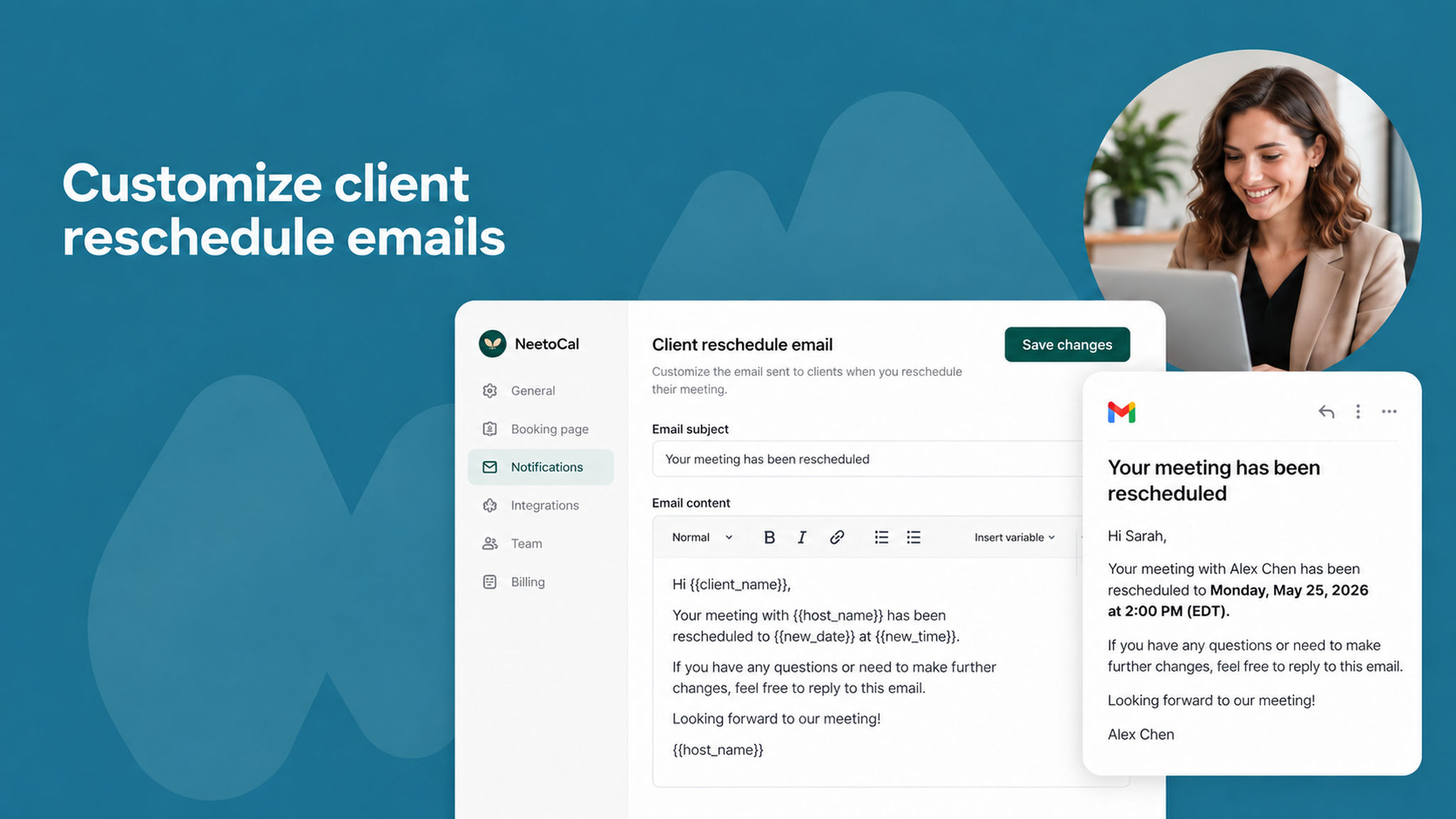
You can now customize the email that clients receive when a host reschedules their meeting. Previously, this email used a fixed template.

Now you can tailor its content to match your tone and include the details that matter most to your clients, giving you more control over communication around schedule changes.

To learn more, read our help article.


image_vpmtkGYBj.png

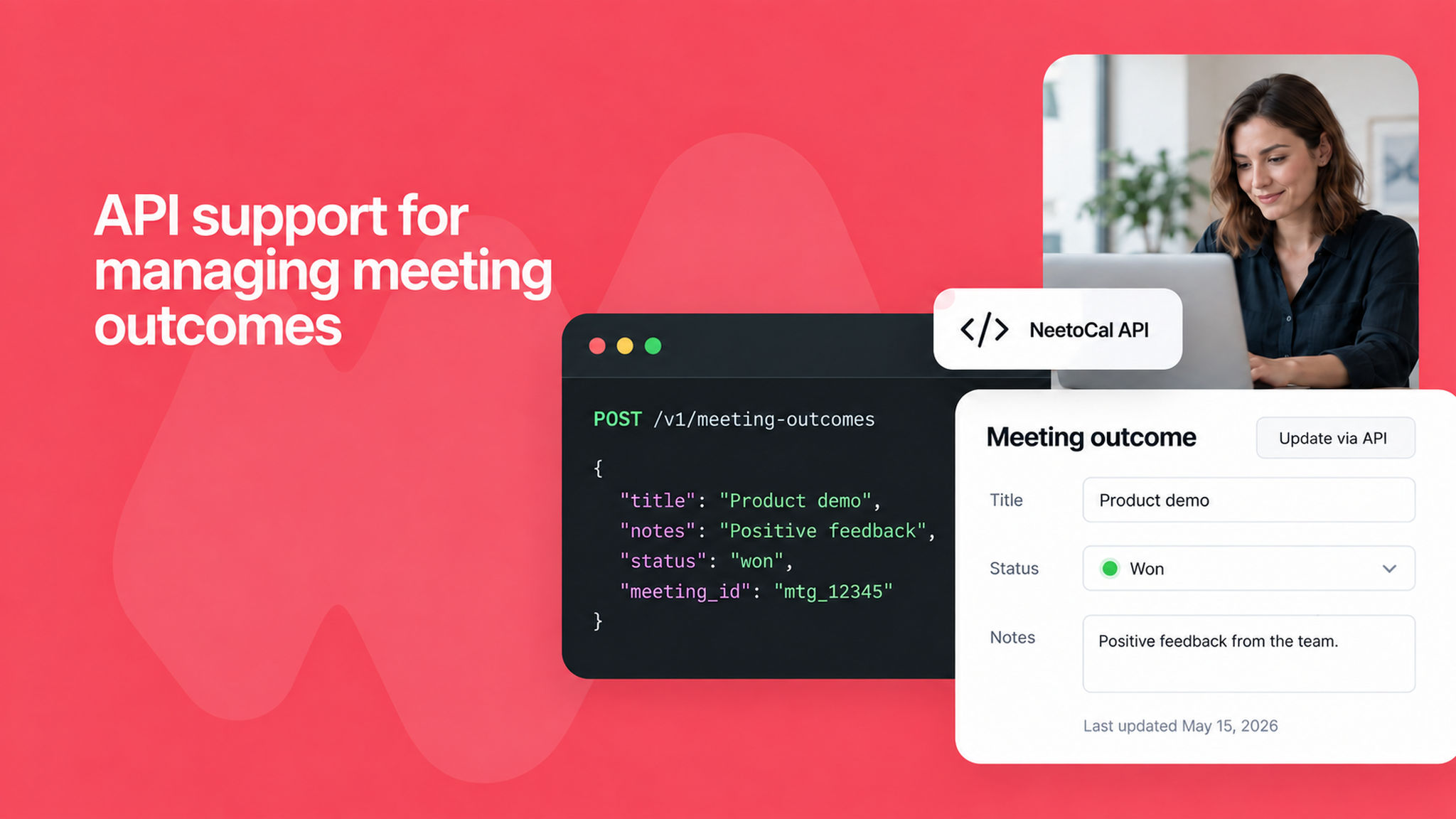
You can now create, update, and delete meeting outcomes via the NeetoCal API. Previously, meeting outcomes could only be managed from the admin panel.

With this update, you can automate outcome tracking and keep your records in sync with external tools and workflows.

To learn more about meeting outcomes, read our help article.


image__wggVaMZa.png

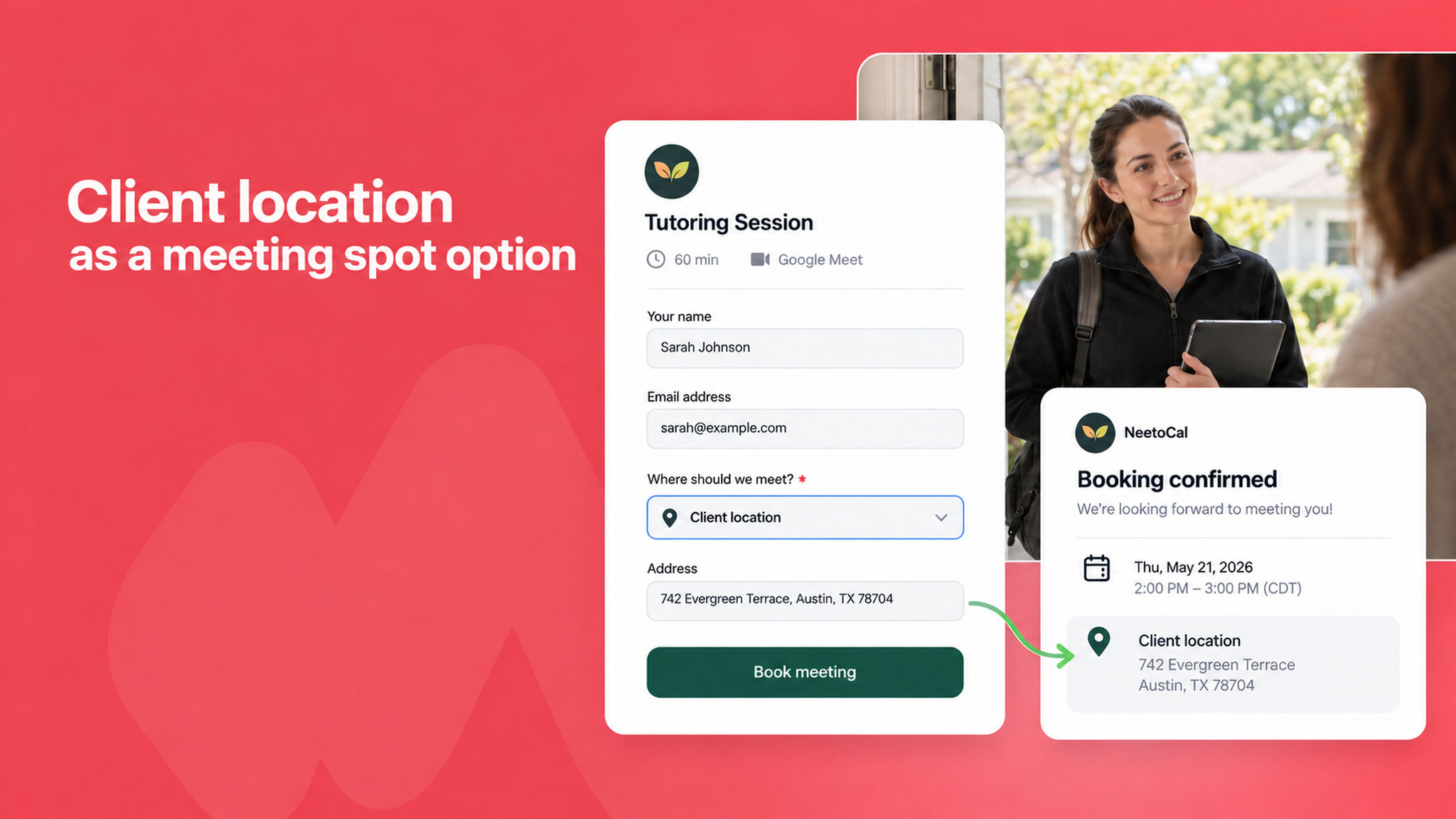
You can now let clients decide where a meeting takes place. The new Client location option lets you link a question on your booking form like an address field.

Hence the answer that client provides becomes the meeting's location everywhere: the confirmation page, confirmation email, calendar event, and automation variables.

This is ideal for in-home tutoring, mobile services, on-site visits, or any service that happens at the client's address.

To learn more, read our help article.


image_xwDy8tmU3.png

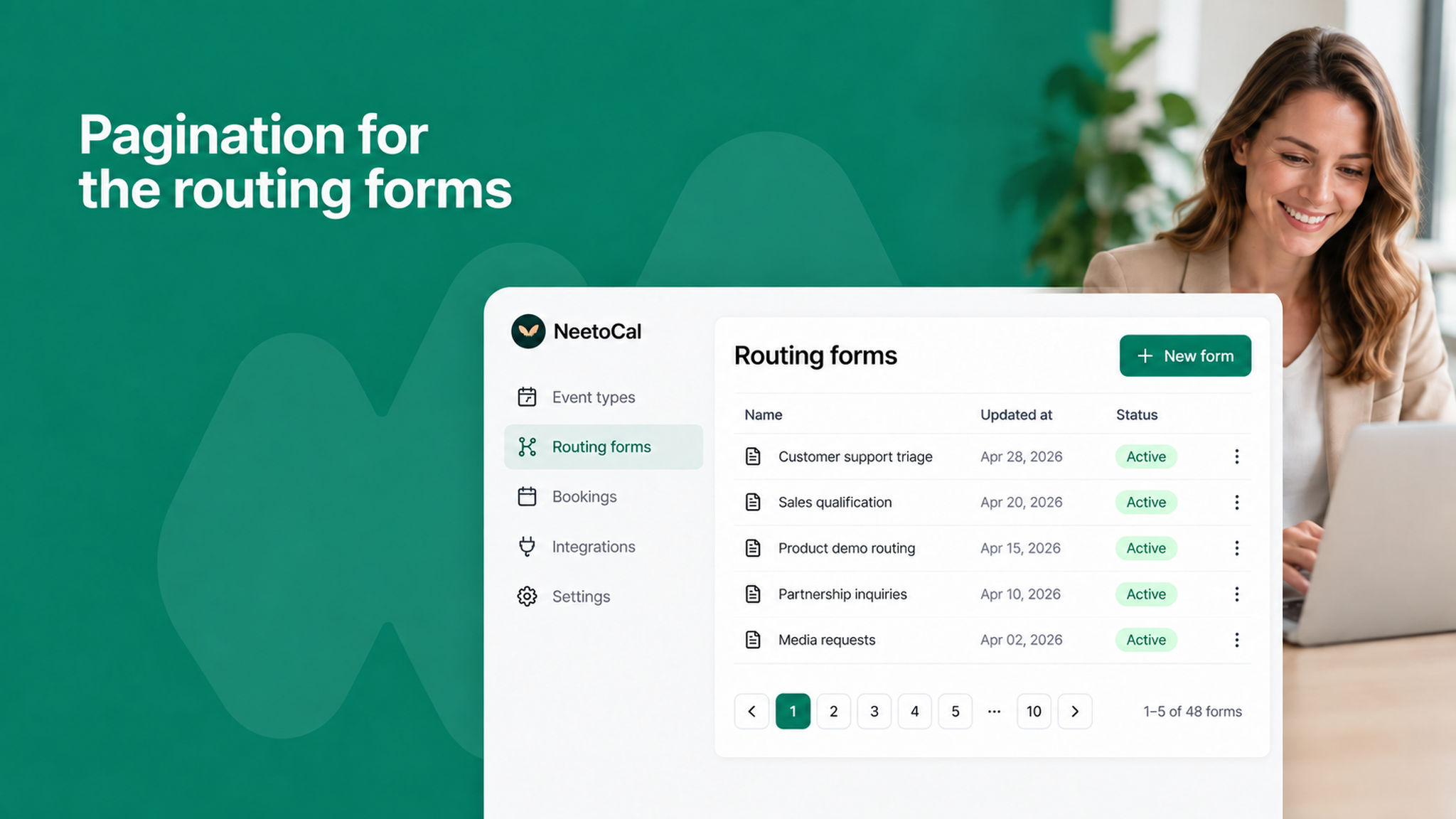
The routing forms list now supports pagination, making it easier to browse and manage your forms when you have many of them.

To learn more about routing forms, read our help article.