Response visible only to host
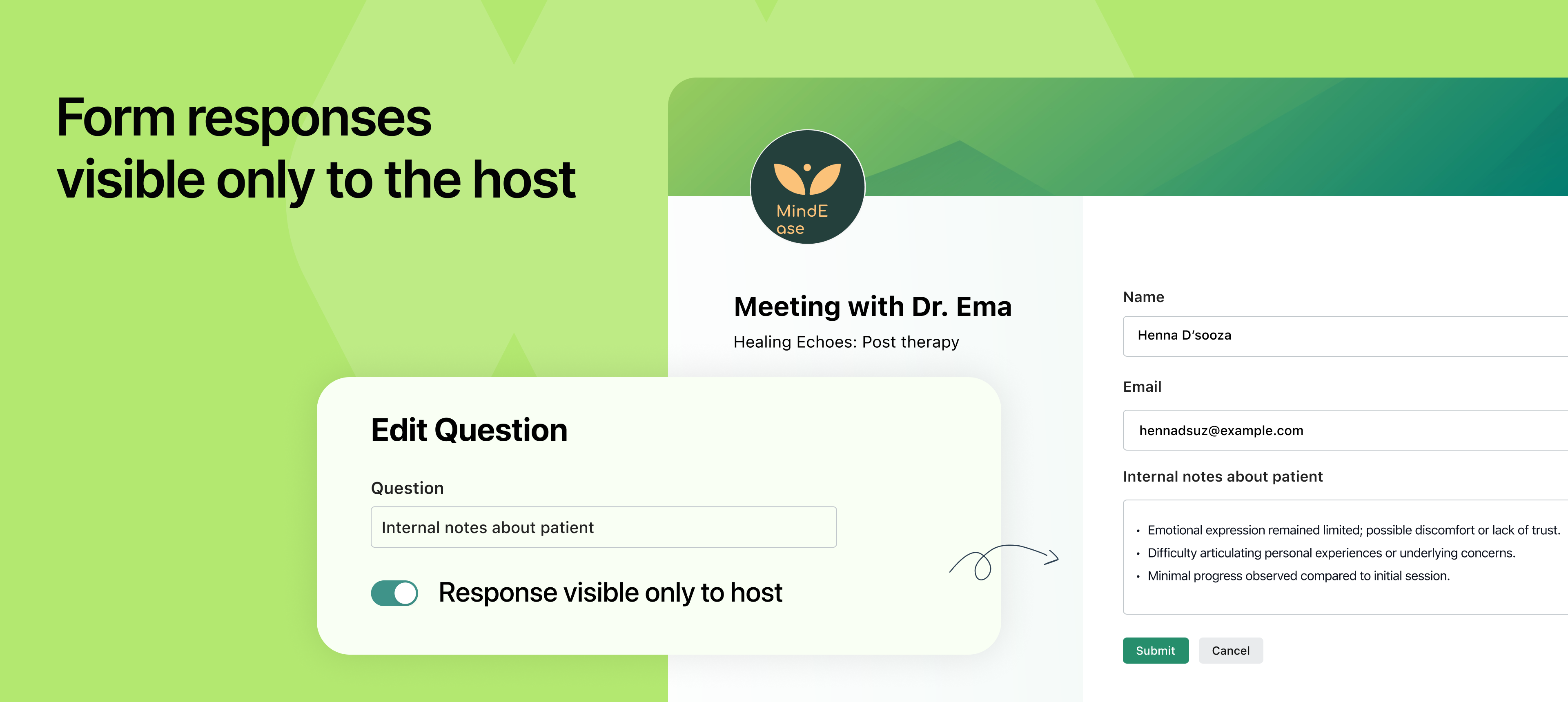
NeetoCal now lets you ask questions during booking that only the meeting host can see. The person filling out the form won’t see those responses again, and it won’t show up in any emails. For example: If your assistant is booking a slot on behalf of your clients and passes on some information to you when you get on a call.
This is helpful when you want to share internal notes or background information with the host, without showing it to the person booking the meeting. It’s like adding a private note that stays behind the scenes.
A few common use cases:
Internal handoffs: A team member books a call on behalf of someone else and adds notes like, “This is a follow-up from last month’s demo, client had objections around pricing.”
Client history: You’re offering a free consultation and want your assistant to note, “Client previously worked with two agencies and prefers SEO over paid ads.”
Sensitive context: You want to collect background details that help you personalise the conversation, but without making the client feel watched or over-analysed.
When you mark a question as Response visible only to host, it will appear in the booking form as usual, but the response won’t be shown on the confirmation screen or in any email notification (not even to the host). It will only be accessible from the Form Responses section under Bookings in your NeetoCal dashboard.
To learn more about how to use this feature, read our help article.